TIA Openness Manager
AI-Powered TIA Portal Automation
The most advanced desktop tool for Siemens TIA Portal projects. Import, export, compare, and generate PLC code with built-in AI assistance. Now with OPC UA client, password vault, Git integration, and built-in MCP tools.
Major new capabilities
What's New in V3
AI Chat with Multi-Agent System
10+ AI providers (Anthropic, OpenAI, Google, Ollama, and more). Multi-session chat with sub-agents, agent memory, custom skills, and inline tool approvals. AI Canvas with live OPC UA data binding for process visualization.
OPC UA & S7comm+
Connect via OPC UA or S7comm+ protocol. Browse address space, read/write variables, live subscriptions. Multi-PLC tabs with pop-out windows.
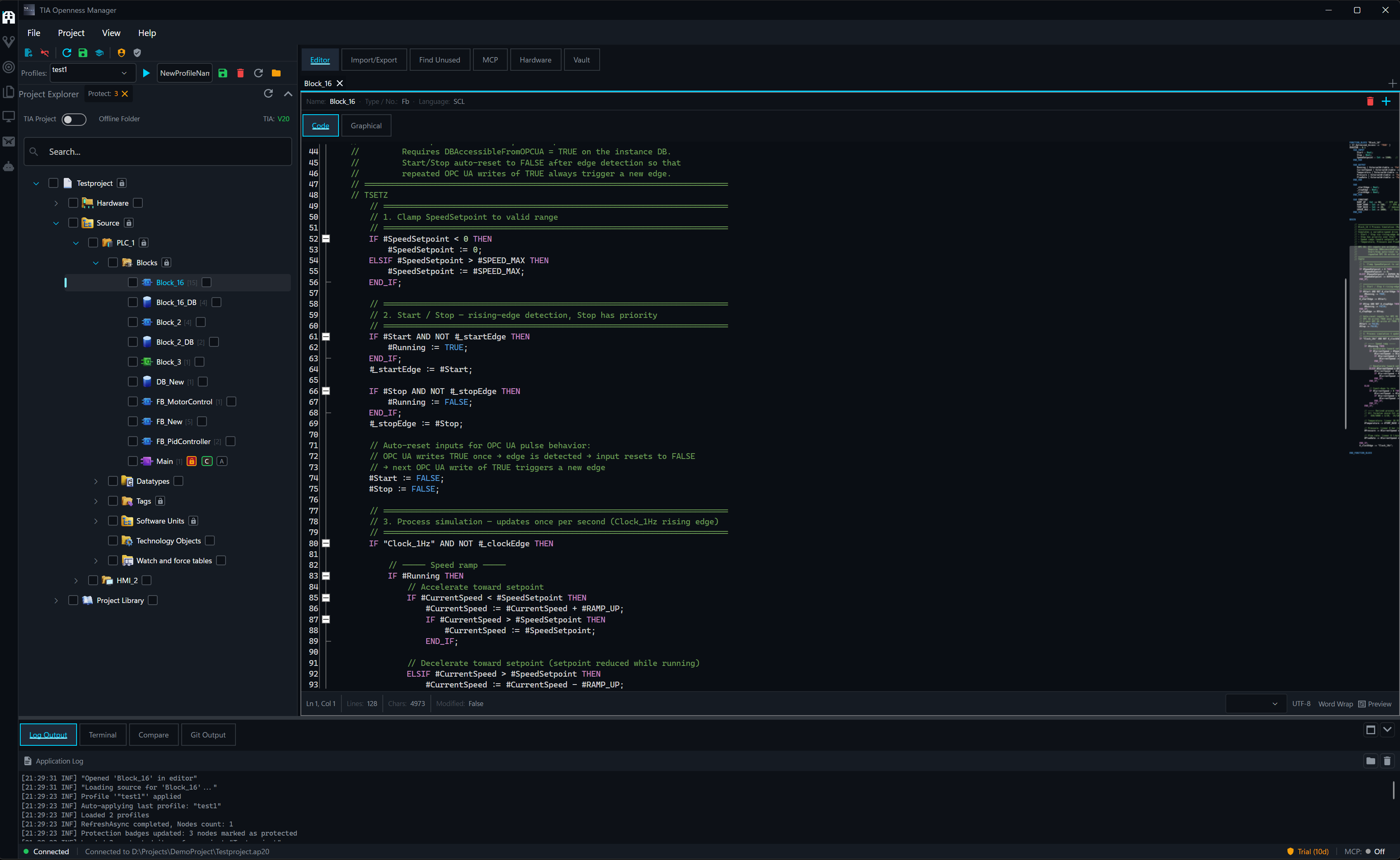
Tabbed Code Editor
Multiple blocks and files open simultaneously with split view. Inline AI chat (Ctrl+I) and inline diff preview for AI-generated changes. 60+ languages with syntax highlighting.
Full Git Client
Visual commit history with branch graph, interactive rebase, GitFlow, hunk-level staging, stash management, LFS, submodules, and worktrees.
SCL Unit Testing
Write test suites with assertions, run them on PLCSIM, and see live results. Expected vs. actual comparison with run/stop controls.
Password Vault
AES-256-GCM encrypted vault for TIA Portal know-how protection passwords. Bulk protect/unprotect with crash recovery.
Everything you need to manage TIA Portal projects efficiently
Core Features
Import & Export
Bulk export hundreds of blocks in a single operation. Supports Simatic ML XML, SCL, S7DCL (V20+), and SPL formats. WinCC Unified screen and HMI tag table export/import. Preserves TIA Portal folder structure, automatic compilation after import, and configurable folder names.
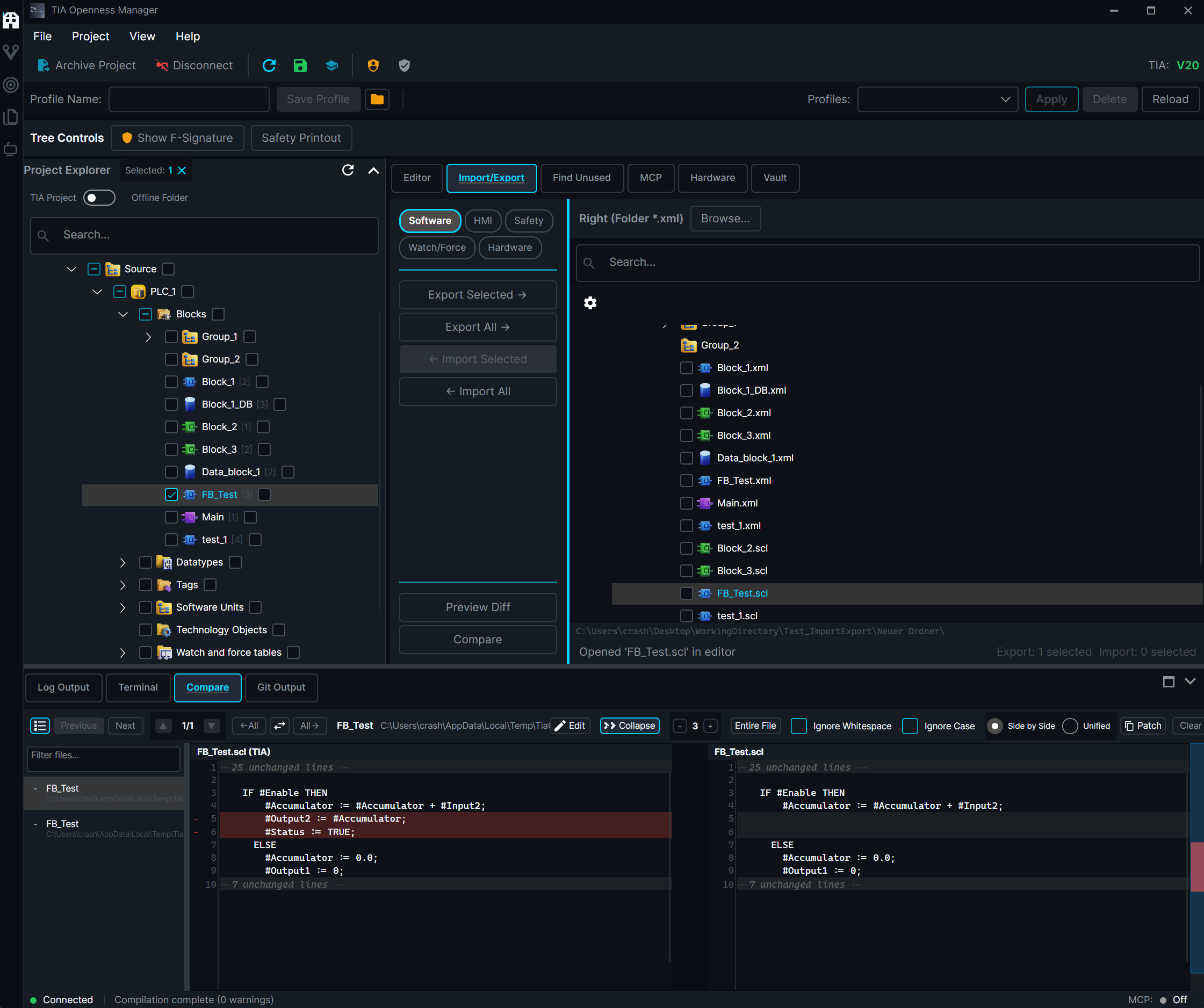
Block Comparison
Fingerprint-based comparison for fast change detection without full export. Detailed diff viewer with edit mode — modify content before accepting. Unified diff format, selective re-export of changed blocks only.
Code Editor
Tabbed editor with split view — multiple blocks and files open side by side. Syntax highlighting for 60+ languages, code folding, auto-completion, and snippets. Inline AI chat (Ctrl+I) with diff preview for accepting or rejecting AI changes.
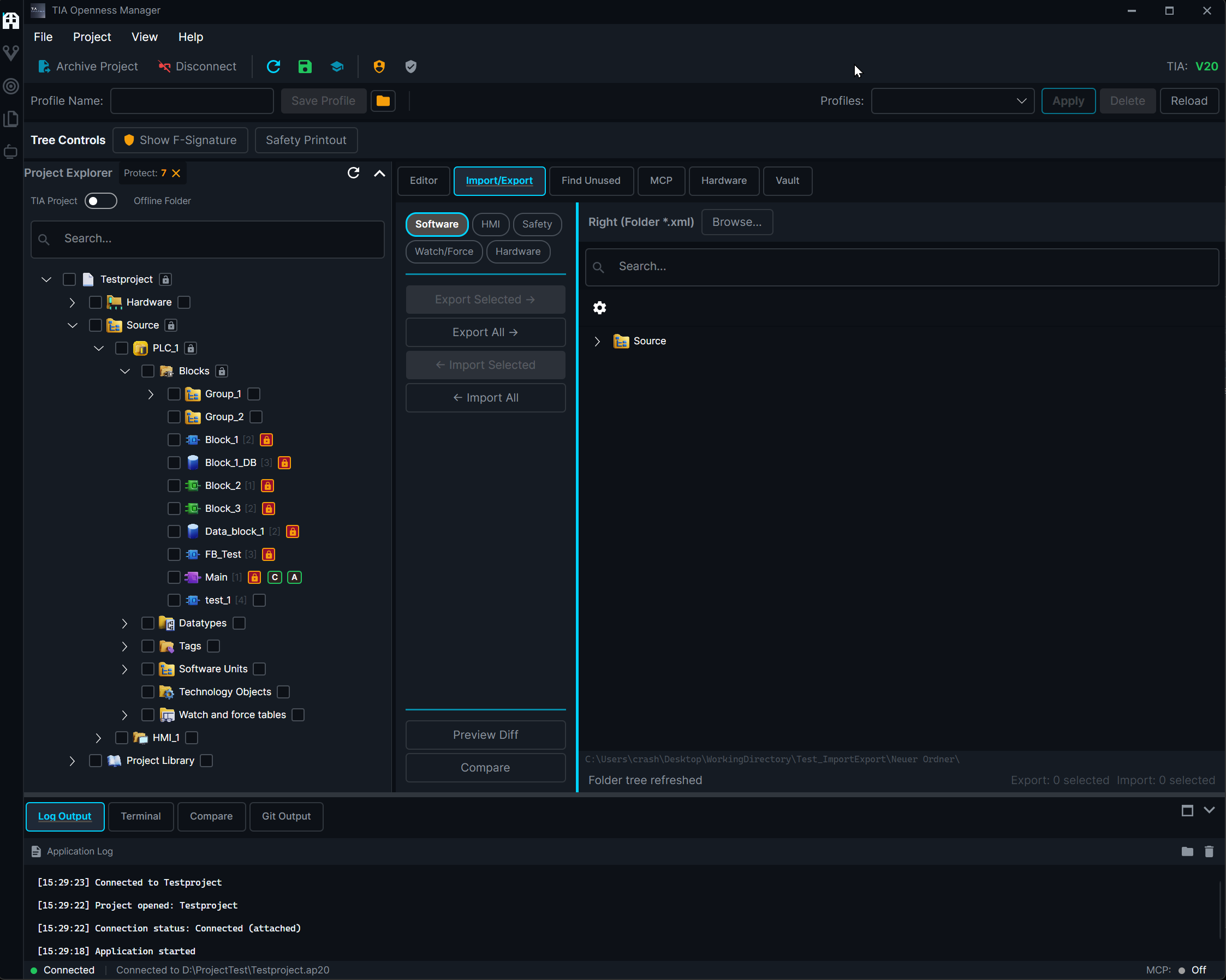
Protection System
Protect blocks from accidental overwriting with profile-based protection. Save and load protection configurations as .profiles files. Hierarchical protection with visual marking and auto-protect on export.
Built-in intelligence for TIA Portal
AI-Powered Workflow
AI Tools
10+ AI providers (Anthropic, OpenAI, Google, Ollama, LM Studio, and more). MCP server exposes your TIA Portal project to any AI assistant.
Code Generation
Block Analysis
Import/Export
Device & Hardware
Tags & Variables
Library Management
Safety Blocks
OPC UA & S7comm+
Git & File System
Agent & Memory
AI Chat — SCL Expert Agent
Multi-Agent System
Run up to 5 sub-agents in parallel with persistent memory, worktree isolation, and cross-session communication
AI Canvas
Interactive HTML/JS canvas with live OPC UA data binding for real-time process visualization
Auto-Import to TIA
AI-generated code imports directly into TIA Portal — no copy-paste needed
See it in Action
Videos and screenshots of TIA Openness Manager V3
AI Assistant
Multi-session AI chat with custom agents, skills, and inline tool approvals
Import & Export
Bulk export and import with folder structure, compilation, and diff comparison
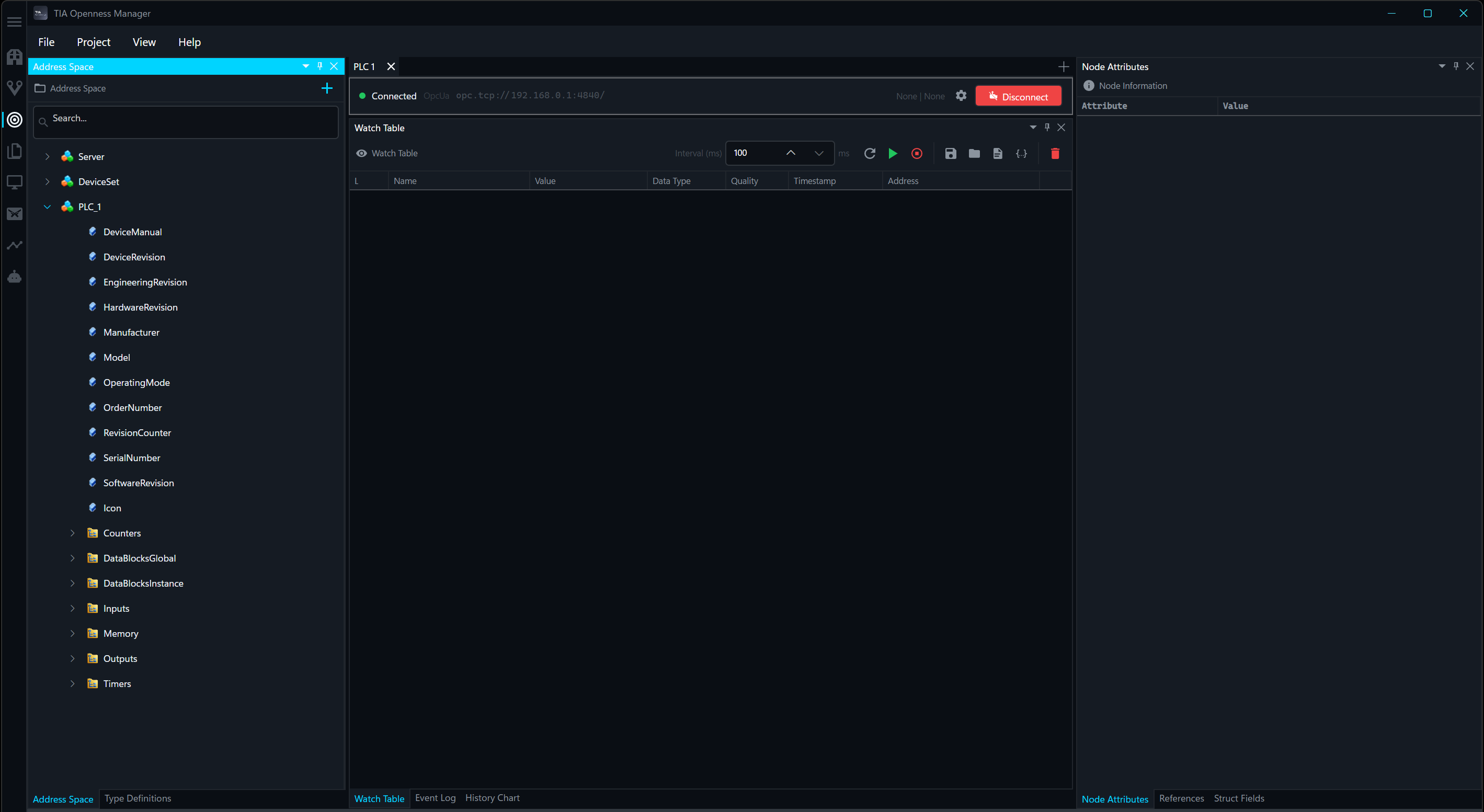 OPC UA ClientBrowse address space, read/write variables, live subscriptions
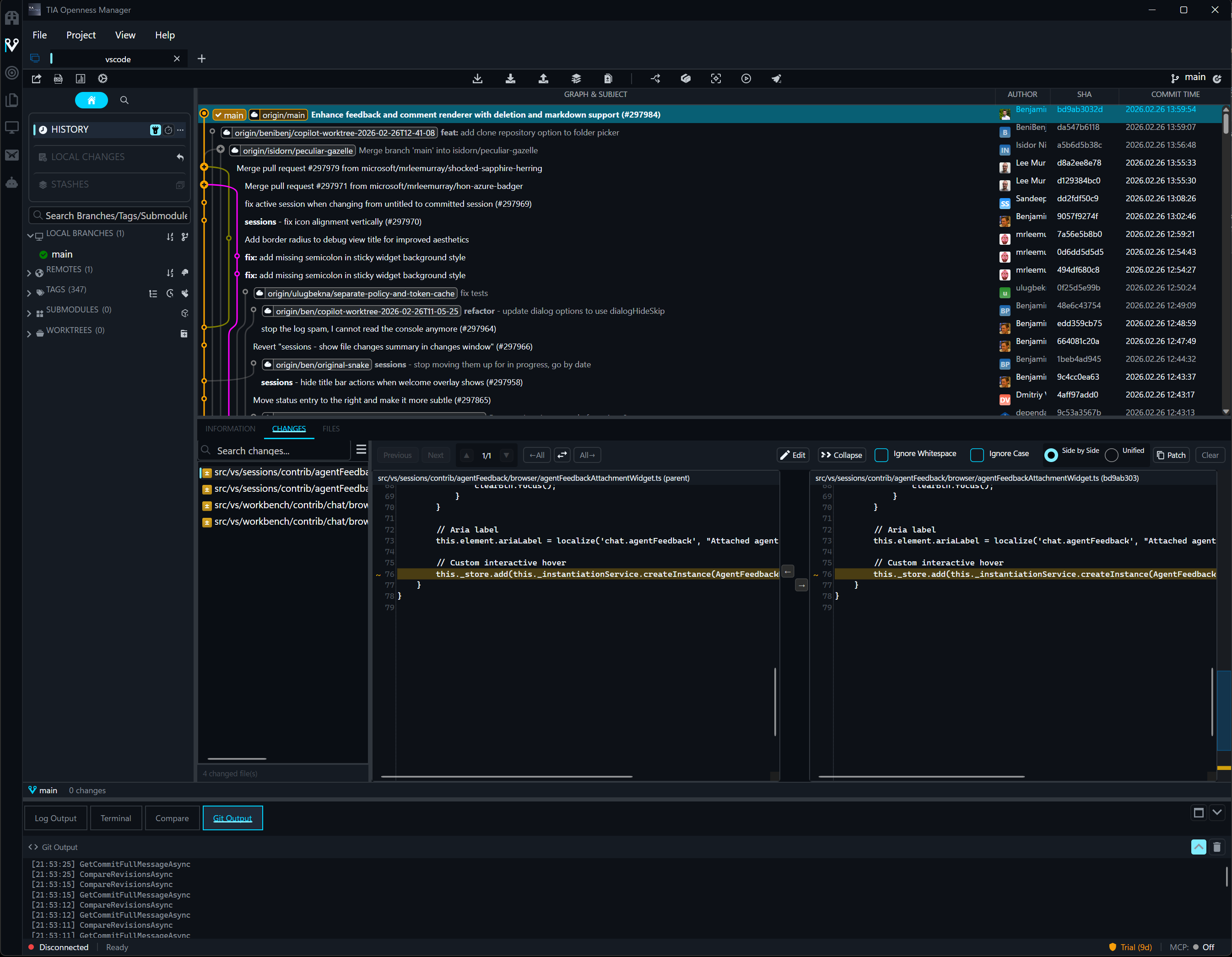 Version ControlBuilt-in Git with commit history, diffs, and branch management
- Code EditorTabbed editor with split view, syntax highlighting, and inline AI chat
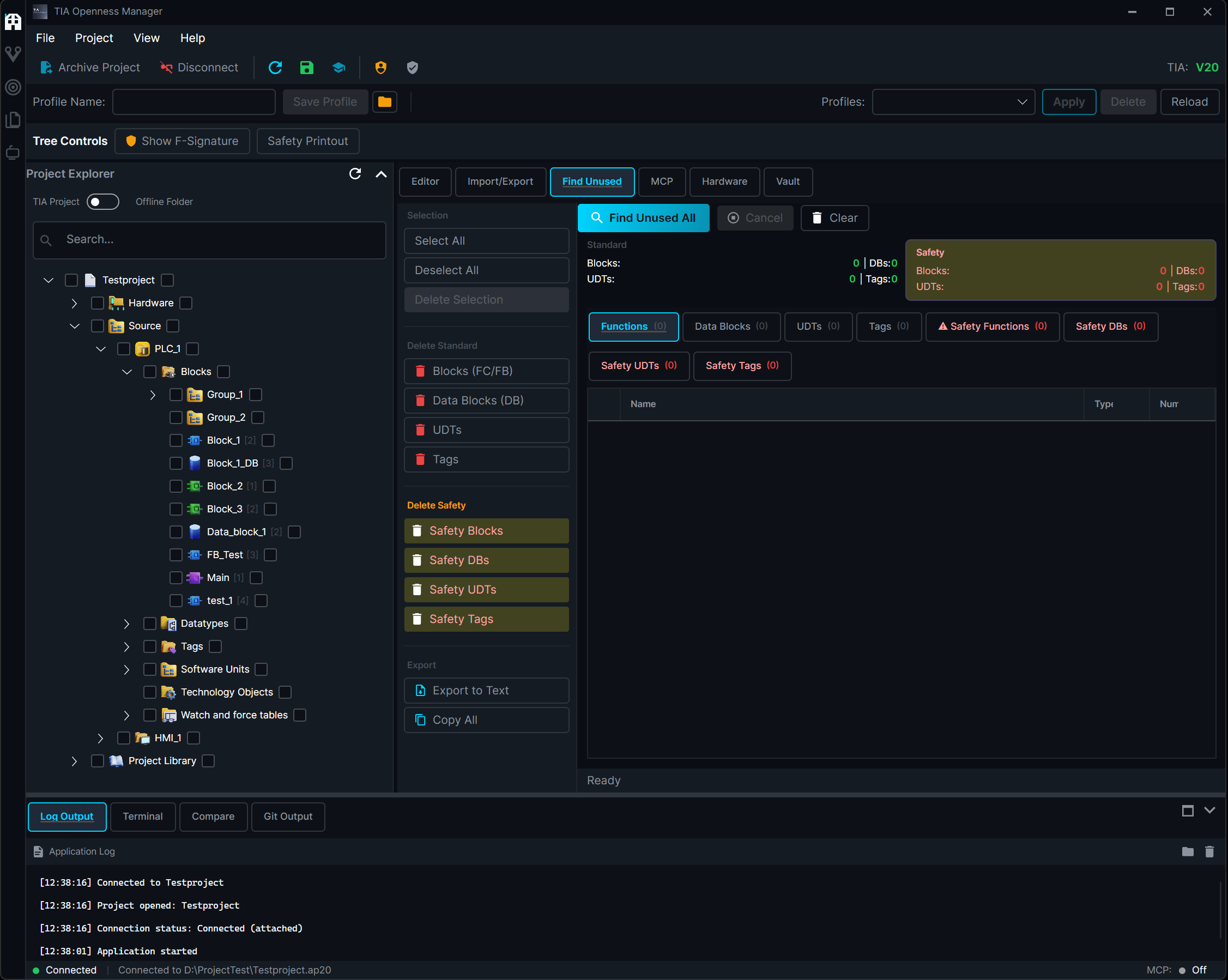 Find Unused BlocksDetect and clean up unreferenced blocks across your project
- Block ComparisonFingerprint-based diff with edit mode for selective changes
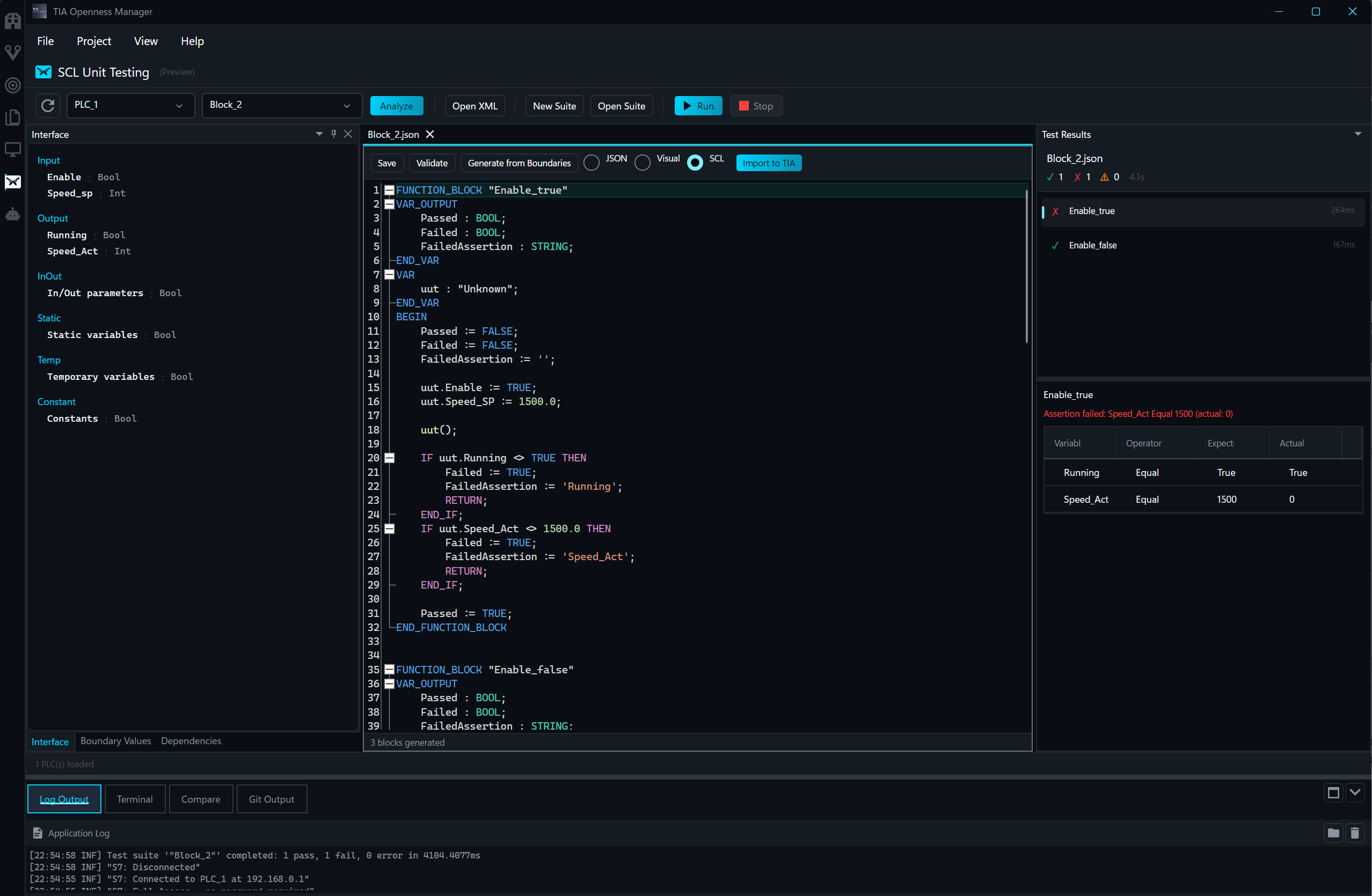 SCL Unit TestingWrite test suites, run on PLCSIM, see live results with expected vs. actual
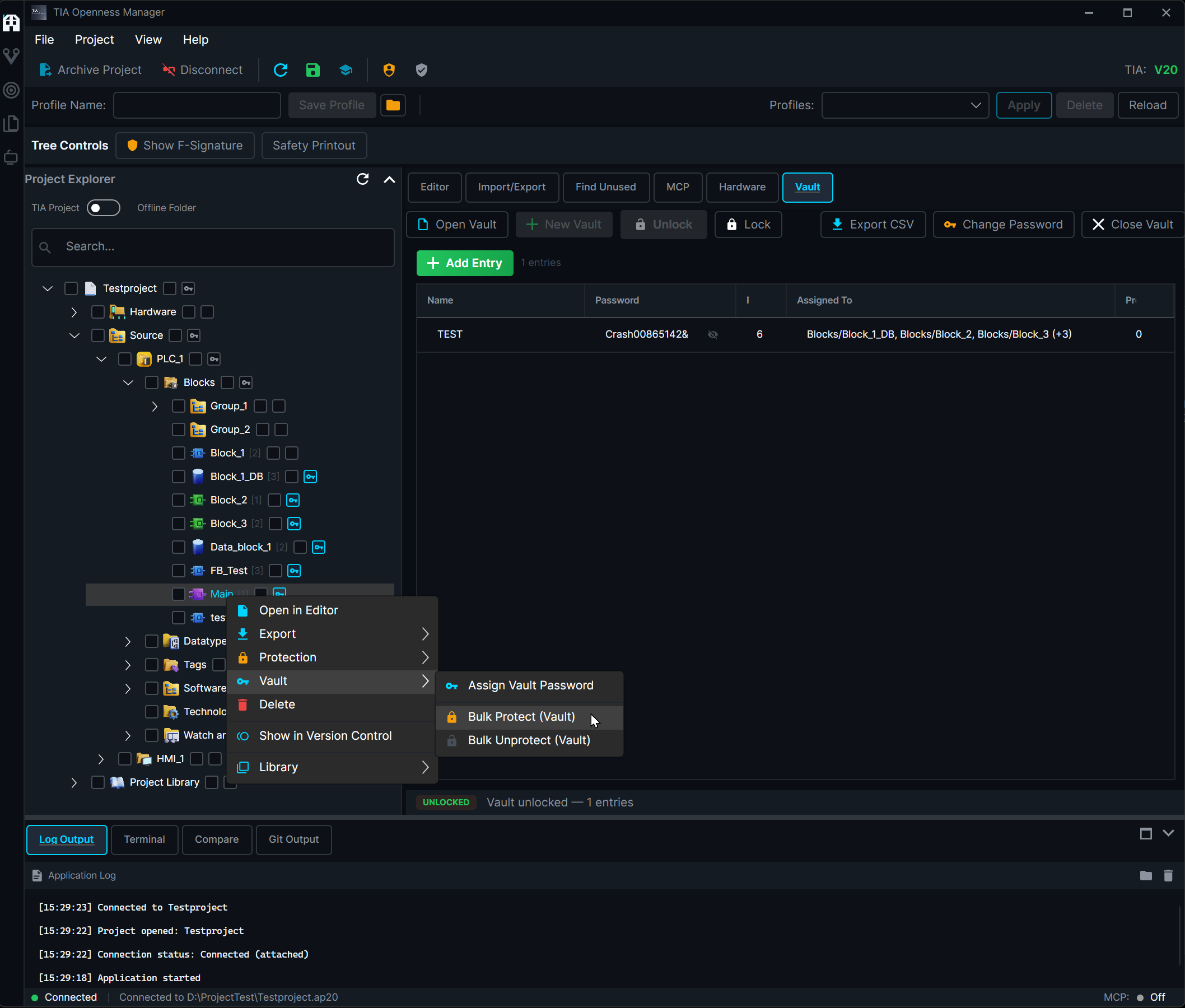 Password VaultAES-256 encrypted vault with context menu for bulk protect/unprotect
All-in-one for TIA Portal development
Everything You Need
Import & Export
- Bulk export/import hundreds of blocks at once
- Supports XML, SCL, S7DCL, and SPL formats
- WinCC Unified screens and HMI elements
- Preserves TIA Portal folder structure
- Fingerprint-based diff for fast change detection
AI Assistant
- 10+ AI providers (Anthropic, OpenAI, Google, Ollama, ...)
- Multi-agent system with up to 5 parallel sub-agents
- AI Canvas with live OPC UA data binding
- Custom agents and reusable skills
- Voice dictation with Whisper
Built-in Skills
- 14 ready-to-use prompt templates via / command
- Generate, review, and optimize SCL code
- Convert AWL/STL to SCL automatically
- Document blocks and entire projects
- Safety checks and block comparison
Code Editor
- Tabbed editor with split view
- Inline AI chat and diff preview
- Syntax highlighting for 60+ languages
- Code folding, auto-completion, and snippets
- Open TIA blocks and files side by side
SCL Unit Testing
- Write test suites in JSON with assertions
- Run tests on PLCSIM with live progress
- Expected vs. actual value comparison
- Run/Stop controls with mid-run cancellation
- Auto-load block interfaces from PLC
PLC Communication
- OPC UA client with live subscriptions
- S7comm+ for direct PLC communication
- Multi-PLC tabs with pop-out windows
- Watch tables with drag-and-drop
- Save/load connection configurations
Git Version Control
- Visual commit history with branch graph
- Interactive rebase and GitFlow support
- Hunk-level staging and stash management
- LFS, submodules, and worktrees
- Clean exports for meaningful diffs
Security & Protection
- AES-256-GCM encrypted password vault
- Block protection with saveable profiles
- Find and remove unused blocks
- Crash recovery for unprotected blocks
- TIA Portal V15 through V21 supported
Comprehensive support for all TIA Portal elements
Supported Platforms
PLC Blocks
Organization Blocks (OB), Function Blocks (FB), Functions (FC), Data Blocks (DB) including Global, Instance, and Array DBs. User-Defined Data Types (UDT), Tag Tables, Technology Objects, and Software Units (V18+). Full Safety block support (FOB, FFB, FFC, FDB).
HMI Elements
HMI Screens and popups, Screen Templates, HMI Tag Tables, VB Script functions, PLC/HMI Connections, Text Lists for multi-language support, and Graphic Lists for symbol management. Full WinCC Unified support with JSON-based screen export/import including all properties, text content, and dynamizations.
TIA Portal V15 – V21
Supports TIA Portal V15 through V21 simultaneously with formal version adapters. Runtime reflection-based adapters handle version-specific API differences automatically. S7DCL support for V20+.
Built with modern technologies
Technical Details
Modern Architecture
Layered architecture with .NET 10 Avalonia UI and .NET 4.8 Bridge for TIA Portal COM interop. Process-separated design for stability — UI crash doesn't lose your TIA Portal connection. MediatR command/query pipeline.
Git Version Control
Export TIA Portal blocks as XML, SCL, S7DCL, or SPL for version control. Full Git client with visual commit graph, interactive rebase, GitFlow, hunk-level staging, LFS, submodules, and worktrees. Clean exports for meaningful diffs.
Multi-Language
Full localization in English, German, French, and Italian. Runtime language switching without restart. JSON-based locale files with key parity enforcement across all languages.
Simple, Transparent Pricing
Start free, upgrade when you need more
Basic
Free
forever
1 file per operation
Import/Export, Compare, Editor
Hardware, HMI, OPC UA
Safety & Protection Profiles
AI Chat & MCP Tools
Password Vault
Professional
CHF 99.99
/year
1,000 files per operation
Everything in Basic
Safety Blocks & Protection Profiles
AI Chat & MCP Tools
Find Unused Blocks
Password Vault
Enterprise
CHF 299.99
/year
Unlimited files & blocks
Everything in Professional
Password Vault
Dedicated support
30-day free trial for Enterprise. No credit card required.